#1 - Reels Spinning Too Slow
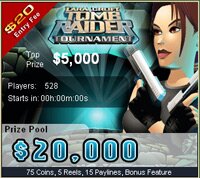
This appears to be the most common issue in the Microgaming slot tournaments, especially on the Thunderstruck games. In actual fact, the tournaments are programmed to spin the reels slightly slower than in normal play, but you should still be able to hit 12 spins a minute on Thunderstruck and 14 on Tomb Raider if everything is running right. Because Thunderstruck in particular is so graphic heavy, the most common reason for slow spinning is the speed of graphic drawing on your PC. The answer to this is to increase the memory allocation on your graphics card.
But before you look at that, try turning off your firewall and/or any anti-virus software you run as this has also impacted some players and some reports suggest this can get you another 1 or 2 spins per minute. If you have no joy there, you could try the following:
If you have a built-in graphics card (if not, see below), you will want to move some of your standard RAM from the PC memory onto your card, which isn't as hard as it sounds and doesn't require any hardware changes. Chances are your built-in card has 32Meg of memory allocated. To do this, reboot your computer and enter "SETUP" at the prompt (otherwise known as "BIOS"). Look through the options for ATP or AGP Graphics Memory or similar wording and you should have an option to increase it. Try the next level up from where it is now, reboot, try a tournament and see if that was enough...if not repeat the process up to the next level.
However, bear in mind that the extra memory you allocate to the card will no longer be available to other PC applications, so if you have a small PC memory or are struggling anyway, this may not be an option and a new graphics card may be in order. Assuming you are able to do this, you will also probably find that some other Microgaming games run much better in the normal casino.
If you have a seperate Graphics card, and you get this problem, you could check to see if there is a new "driver" available from the manufacturer's website - if there is, it may well do the trick and should contain instructions on how to upgrade the driver. Failing this it may be possible to upgrade the memory (Google your manufacturer's knowledge base). If neither of those work, then the only other option is to buy a new graphics card - I have an Nvidia 6200 which was only about £30 and runs the tournaments well along with most of the big PC games.
And here's a tip that I should really keep secret! Call it a reward for reading this far down ;) And don't tell everyone. Turn off the sound! In the Tombraider tournament in particular this will speed things up, especially the lag before and after you pick the idols!
#2 - No Tournaments Available
Sometimes the casinos don't update the tournament list like they should. If you see the message "No Tournaments Available" in the Tournament Lobby, try clicking on the "Slots" submenu, then either the "Sit n Go" or the "Scheduled" submenu. Sometimes those remain populated and you can access them from there. Failing that, try restarting the casino. A re-install of the software is unlikely to fix it - if the two ideas above don't produce a result, either wait - it's probably a bug - or try one of the other casinos listed on this page and see if they have a list. If not, it's definately an MG bug, so sit patient :)
#3 - Can't Register For A Tournament
Don't worry - this happens quite a lot and it's a bug in the tournament software which Microgaming are aware of and should fix shortly. If you can't register, there is nothing you can do except re-try. It's not specific to one casino - it happens in them all at the same time so switching casinos won't help.
#4 - The Countdown On The Toolbar Is Wrong
The countdown on the slot tournaments toolbar works off the local time on your PC clock and counts down to the start of the tournament in your local time. If it's slightly out, it means your PC clock is off slightly from your local timezone and needs adjusting accordingly.
» Sign up for the tournament news...
A COUPLE OF TIPS:
1: Once you started spinning, don't stop! You should be able to get about 10-12 spins per minute on a good day so don't waste any time between spins. You will be able to see where you rank in the tournament all the way through in a small window.
2: If you get Free Spins, this will not extend your time. So if they come in the last minute you may not get them all, especially on Thunderstruck.
3: The online slot tournaments disables the "Autoplay" feature and the "Quickspin" option - you have to spin manually and each spin can take 4-5 seconds to complete.
4: Don't start immediately the tournament goes into PLAY - wait, if only for 30 seconds as the first couple of spins could take forever while everyone hits the SPIN button simultaneously!
Online Casinos With Freeroll Tournaments:
» All Slots Casino
» 32Red Casino
» Ladbrokes Casino
» Lucky Nugget Casino
» Red Flush Casino
» River Belle Casino
» Royal Vegas Casino
|

Download one of the Microgaming casinos below and enter the online slot tournaments via the casino lobby
» All Slots Casino
» 32Red Casino
» Ladbrokes Casino
» Lucky Nugget Casino
» Red Flush Casino
» River Belle Casino
» Royal Vegas Casino


Download one of the casinos below to enter the slot tournaments above:
» All Slots Casino
» 32Red Casino
» Ladbrokes Casino
» Lucky Nugget Casino
» Red Flush Casino
» River Belle Casino
» Royal Vegas Casino
|
